Insights for website owners
Managing your website from your phone: from a screenshot to a confirmed order in 30 seconds
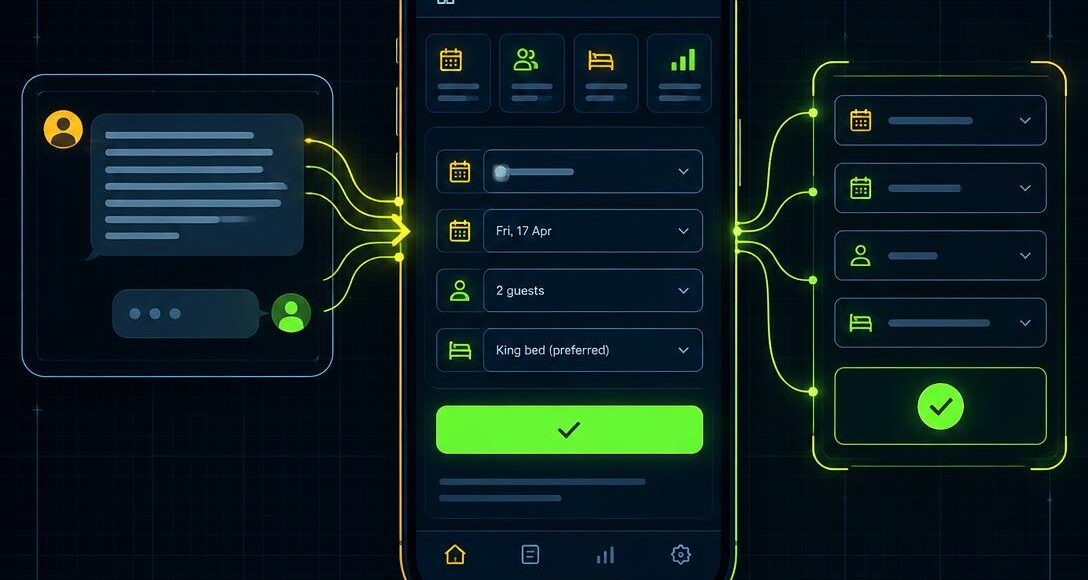
Most business owners don't update their website because the process is too clumsy. Modern web architecture changes that: instead of complicated dashboards on a computer, most of the day-to-day work is now done straight from your phone.
Why do classic content editors take so much time?
Classic websites were built for office work. To change the price of a service, enter a booking you received by phone or add a new product to stock, you usually have to:
- Open your laptop and log in to the admin interface.
- Work your way through dozens of menus, plugins and settings you don't need.
- Be careful not to break the page layout while editing the text.
The result in practice? Owners put changes off until the weekend, or email the agency about every small thing and wait days for it to be done.
How does a purpose-built back office for phones and AI work?
Today we no longer build websites as closed brochures, but as working tools. Instead of a generic system with a thousand buttons for every possible case, I set up a clean, secure back office where you see only the three or four functions you actually use every day.
Add smart data recognition to that back office and the way you work changes completely:
- From a screenshot straight into the system: A client sends you an enquiry by message or email. Instead of retyping names, dates and phone numbers into the calendar, you take a screenshot and upload it to the back office. Using AI, the system reads the details in seconds, fills in every field, calculates the price and drafts a confirmation in the client's language. You just tap "Confirm".
- Editing stock and prices in-line: Staff in the shop or out in the field open the product list on their phone, change the quantity or promotional price directly in the table and save. No opening sub-pages, no risk of breaking anything in the code.
- Automatic product data capture: When you add a new product, you no longer retype technical specifications or hunt for photos. Paste a link to the manufacturer's official page into the back office and the system extracts the key features, tidies up the description and prepares a draft for publication.
- Separate access levels: Reception or sales staff see only the calendar or stock on their phone, while management has access to analytics, the financial overview and system settings.
Comparison: a classic system vs a modern back office
| Task | Classic web system | Modern purpose-built back office |
|---|---|---|
| Entering an outside enquiry | Retyping from email on a computer (5–10 min) | Screenshot uploaded on the phone and one tap to confirm (30 sec) |
| Changing a price or stock | Log in on a computer, find the sub-page, edit the block | Type the number directly into a clear table on the phone |
| Adding a new product | Manually copying tables, specifications and images | Automatic data capture from the source using AI |
| Risk of breaking the page | High (a user can accidentally move the layout) | None (content and data are strictly separated from the layout code) |
Frequently asked questions
Does such a system require installing a special mobile app?
No. The back office runs directly in your phone's browser (behind a secure login) and you can save it as a shortcut on your home screen. Nothing to install or update through app stores.
What happens if the AI doesn't read something correctly from the screenshot?
The system never publishes anything or sends anything to a client automatically without your oversight. It always prepares a draft first and clearly flags any missing details. The final confirmation is always made by a person.
How is business data kept secure?
All back-office pages are completely hidden from search engines, protected with encrypted sessions and separated by user permissions. If an employee leaves the company, you revoke their access with one click.
Finding that editing your website and retyping data take up too much time? See how the AI & GEO Growth package (website and automation on subscription) works, or try a free AI review of your current website.