Insights for website owners
Why general-purpose chatbots fail in companies - and how pre-trained digital workflows work
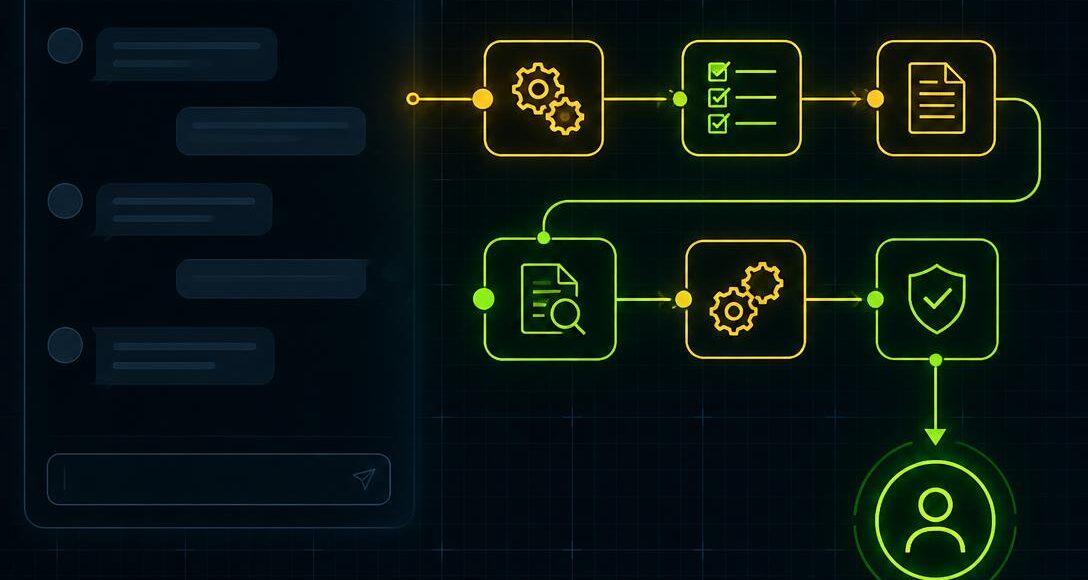
Many business owners tell me: "We already use AI in the office, but I don't see any real time savings." The reason is almost always the same: staff use AI as a blank sheet of paper instead of a pre-calibrated industrial machine.
The "empty chat window" trap
When you tell an employee to use a general AI chatbot at work, this is what happens in practice: every time they need to prepare a quote, edit a technical product description or answer a demanding enquiry, they start from scratch.
Every time they have to explain the context again, correct the writing style, delete sugary advertising phrases (like "in today's fast-changing digital age") and check by hand whether the system followed company rules. Three employees in the same company will get three completely different results for the same task. In the end they spend more time writing instructions and correcting than they used to spend on manual work.
The solution: pre-trained digital skills (automated work modules)
In modern business systems engineering we don't solve this by teaching staff to write long instructions, but by building pre-trained digital skills (modules).
These are purpose-built workflows in the background of your system, into which we write in advance:
- The exact rules and limits of your company: what you offer, what you don't do, your delivery and response times, and which legal clauses are mandatory.
- Your natural tone of communication: no artificial phrases, short paragraphs, clear and respectful business language, as your best salesperson would write it.
- The structure of input and output data: the system knows exactly what format the final document, table or web post must take.
So staff no longer "chat" with AI - they trigger a specific skill in the back office and enter only the raw data.
What does this look like in day-to-day practice?
- Preparing technical descriptions for the website or catalogue: Instead of a salesperson spending an hour and a half translating and reformatting a foreign supplier's data, they paste the raw technical table or link into the back office. The pre-trained workflow extracts dimensions, materials and certificates in 15 seconds, puts them into the company's standard table, writes a concise summary and prepares metadata for search engines.
- Triage and draft replies to enquiries: When an enquiry arrives through the website, the system reads the description of the client's problem, links it to the right package or service and drafts a structured reply with concrete next steps. You just review the draft on your phone or computer and send it.
- Turning field notes into official minutes or a quote: After a site visit or a client meeting, you dictate or type a few key bullet points into your phone (what you measured, what the client wants, the deadline). The trained workflow turns these raw notes into a clean, structured summary for the archive and proposed quote items.
Comparison: a general chatbot vs trained digital workflows
| Criterion | General chatbot (everyone writes their own way) | Pre-trained digital workflows |
|---|---|---|
| Staff time invested | High (constantly writing instructions and fixing errors) | Minimal (raw data entry and one click) |
| Quality and tone of the text | Inconsistent, often full of empty, artificial phrases | Always in line with the company standard and natural tone |
| Risk of human error | High (an employee forgets a key condition) | Low (all mandatory conditions are permanently built in) |
| Connection to the website | Manual copying and pasting between windows | Directly connected to the site's back office and your databases |
Frequently asked questions
Does this mean AI will send quotes to our clients on its own?
No. In serious business systems I follow the rule that AI does 90% of the heavy admin work (gathering data, structuring, calculating, drafting), while the last 10% - the review and pressing "Send" - always stays with a person.
How long does it take to set up such trained workflows for a company?
The first working workflows are usually in place within a few days of reviewing your existing processes. We start with the task that takes your team the most hours of manual retyping every week and automate it.
Can we upgrade these workflows later as the business changes?
Of course. Because the workflows are built modularly, we adapt them to your new services, price lists or market conditions as part of regular monthly management.
Want to find out how many hours a month your team could save with pre-calibrated digital workflows? See the AI & GEO Growth package with process automation or try a free AI review of your website.